TripPhoto on the go
The iPhone app records your route on the go, places photos where they were taken and keeps everything in sync with your account in the browser. Free on the App Store, no ads and no purchases.
 Planned later forGoogle Play
Later
Planned later forGoogle Play
Later
The iPhone app is free on the App Store, including Apple Watch. An Android version is planned but not yet in progress. Creating trips, uploading photos and telling their story also works in your browser.
Capture on the go
Take photos, geotag them automatically and add them to the right trip.
Notifications that think ahead
A reminder when a recording has been running for hours or nothing arrives any more, when the battery is low and when points are waiting for a connection – each one can be switched off.
Always in sync
Trips, photos and recordings go straight to your account – in the browser you see the same trip right away. Without a connection points are buffered and go out later on their own.
Safe & private
Private photos, shared trips and your watermark from settings – just like in the browser. Sign in with a passkey and Face ID.
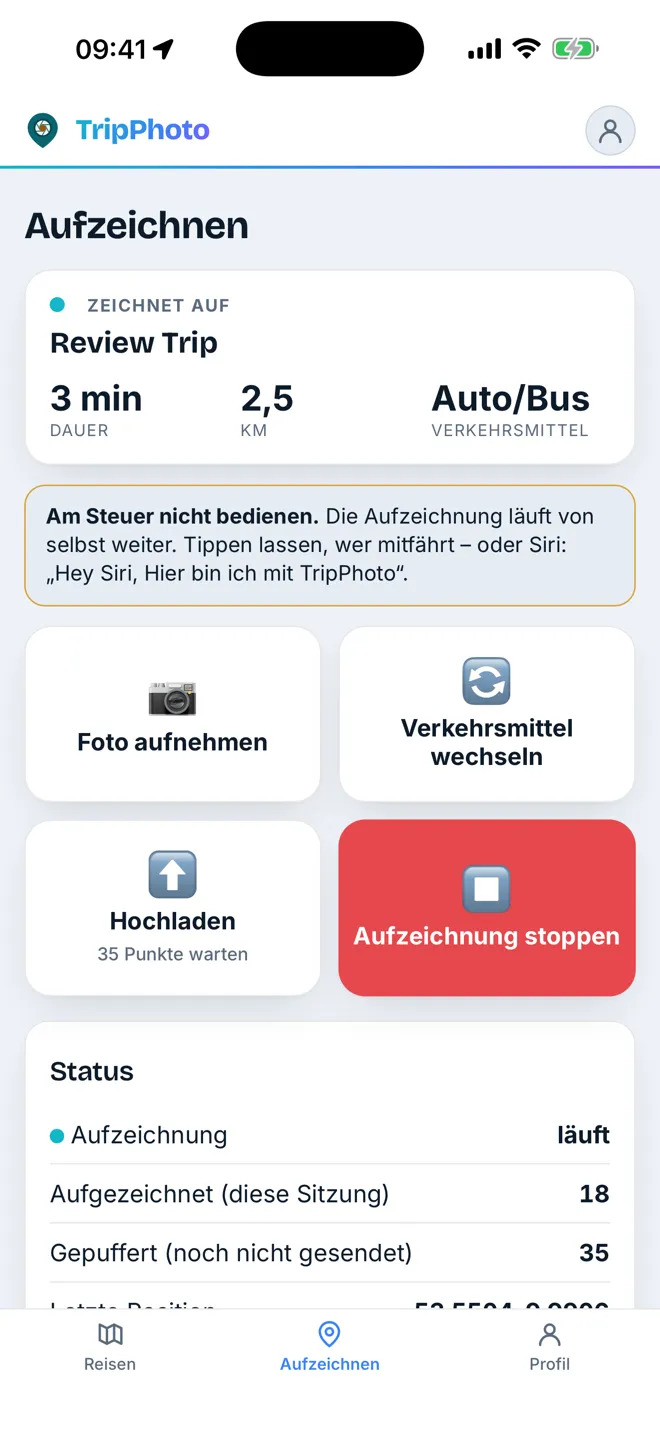
Record your route
The app writes your path in the background – one tap is enough. If you like, it pauses by itself when you stand still, and if it gets closed, the iPhone brings it back at the next change of place.
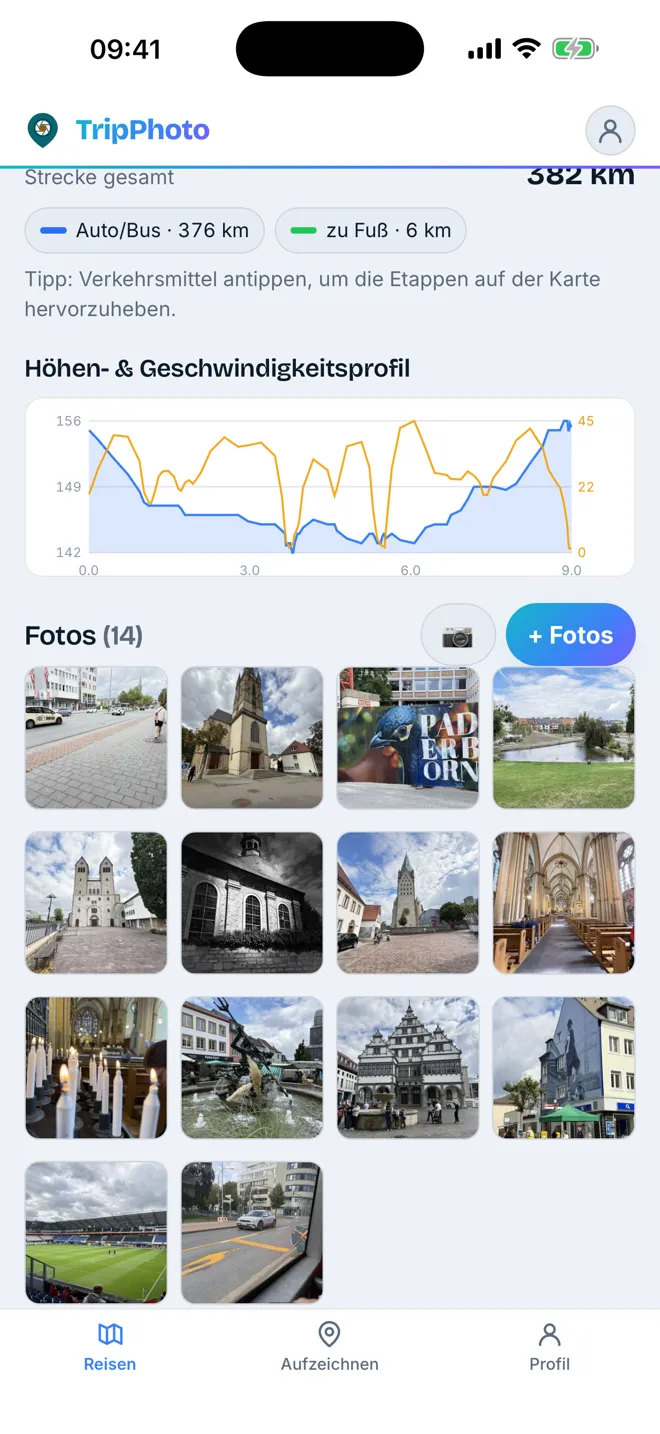
Elevation & speed profile
See where it got steep and how fast you travelled – linked to the map.
Suggest photos from the trip
When you stop, the app asks whether the pictures from exactly that period belong to the trip – with place and capture time straight from your library.
Apple Watch
Continue or start afresh, stop and save a place – from your wrist. Trip, distance and time are shown there; recording still happens on the iPhone.
Sport mode with heart rate
While hiking or cycling the watch measures your heart rate and saves the workout to Apple Health. The value stays on your device – TripPhoto does not store it.
Siri & Action button
“Start the recording in TripPhoto” is enough – Siri also understands “Continue the trip”, “Record a new trip” and “Open <trip> in TripPhoto”. The commands are also available as shortcuts, in Control Center and for the Action button.
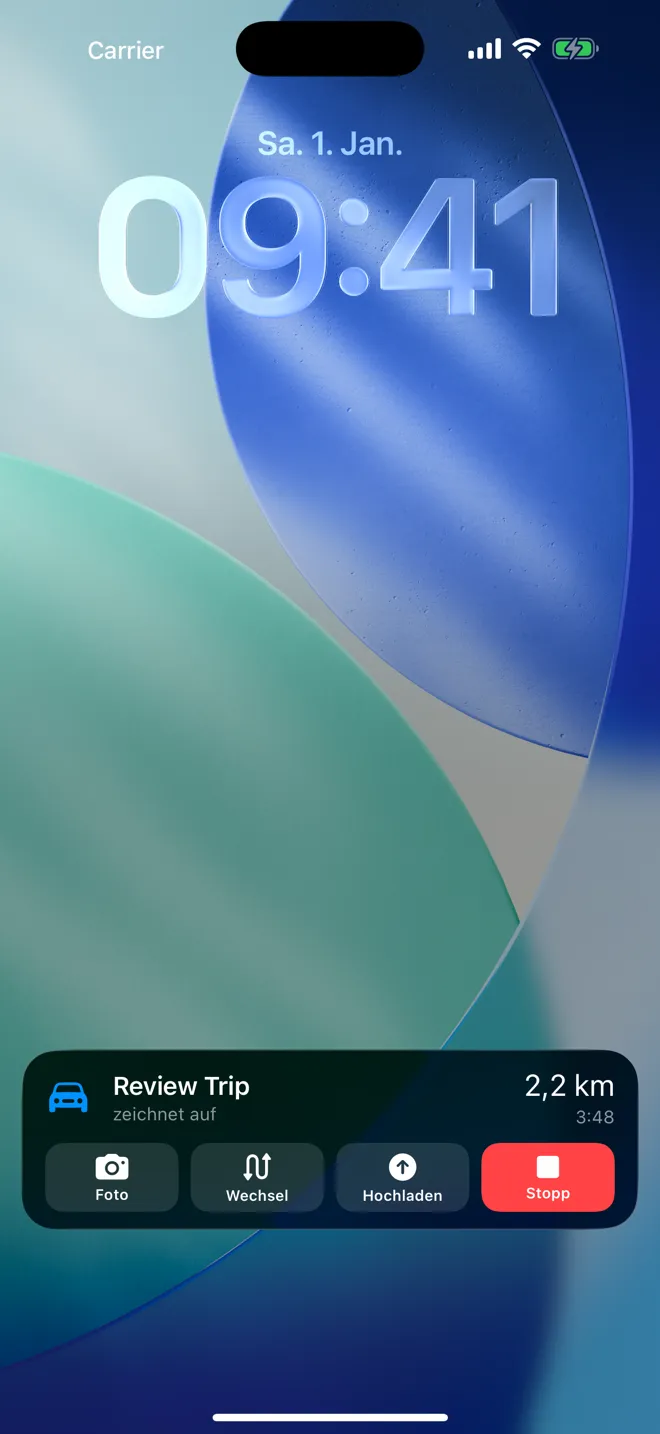
Lock screen & widget
The running recording with distance, time and the next stop on the lock screen and in the Dynamic Island. Plus six widgets – from today’s track and the day band to a cockpit you can operate without opening the app.
Apple Intelligence
On supported iPhones the app suggests trip titles and writes short texts for each travel day. They are written on the device, only from your trip’s own data – nothing goes to an AI service, and only what you tap is applied.
CarPlay
When the iPhone connects to the car, recording can start by itself. The car screen shows distance and time, the route with the next stop and a few large buttons: save place, transport mode, stop.
German & English
The app speaks your iPhone’s language: German on German devices, English everywhere else. That includes notifications, the widget, the watch and Siri.
Start right now
Creating trips, uploading photos, map, story and travel film – all of that works in the browser. Only recording on the go needs the app.